Turn LinkedIn Into Your Growth Engine
Write LinkedIn posts, carousels, and your content strategy in minutes - AI that learns your voice. Stay consistent, grow faster.
Click through the sidebar to explore the app
 Feedboss Feedboss
 Nda Feedboss
Free Plan
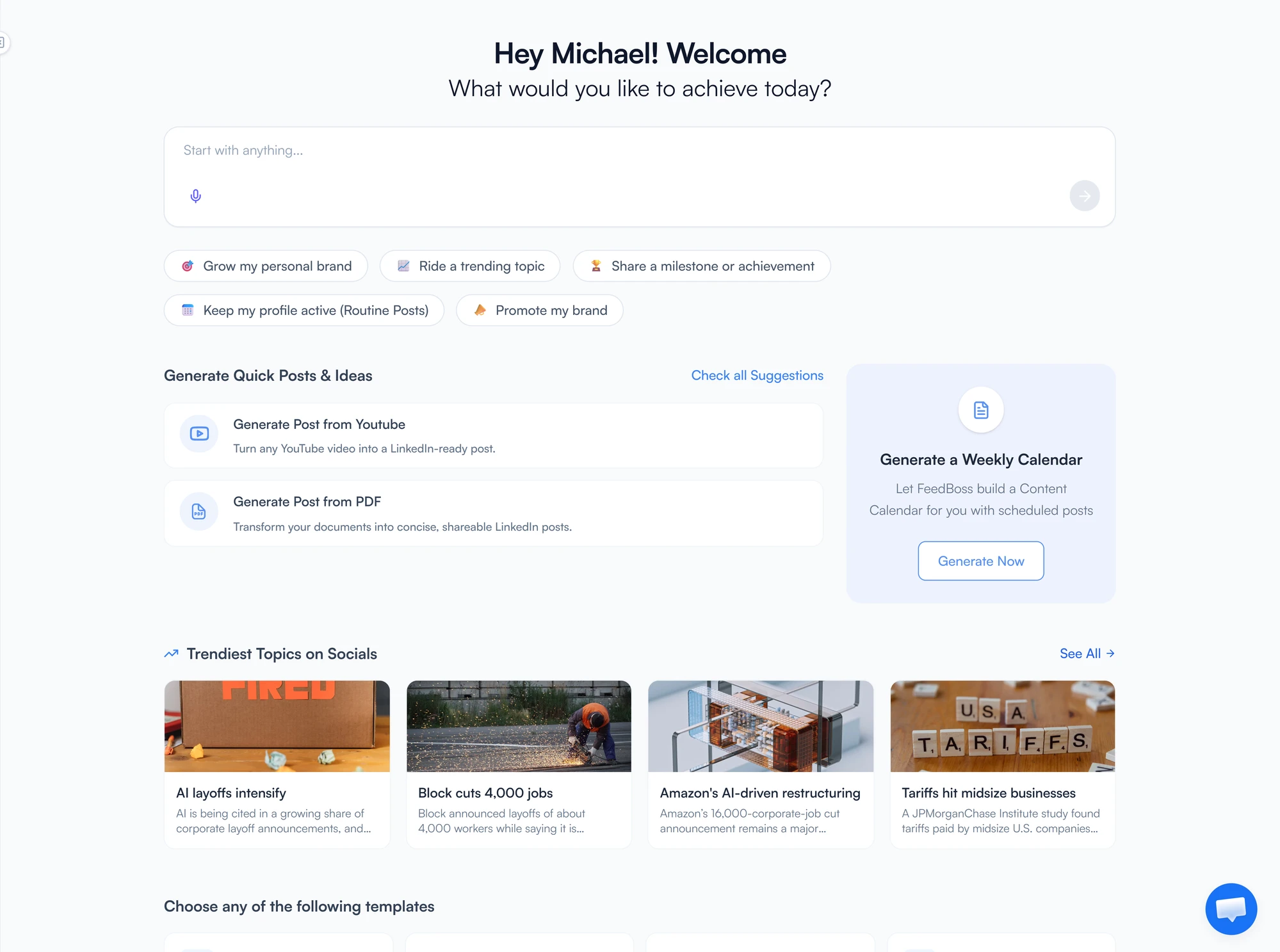
What would you like to post about?
Describe your topic and our AI will craft an engaging LinkedIn post for you.
You can always describe it in your own words
No post content yet
Start a conversation with the AI assistant to generate your first post.
LinkedIn growth shouldn't feel like a second job
One platform. Every tool you need. No blank pages.
One Platform, Not Ten
Write, schedule, and analyze — without switching tabs.
Your Voice, Not a Template
Posts that sound like you, not like everyone else.
Stay Consistent, Stay Sane
Idea to published post in minutes, not hours.
Watch How FeedBoss Works
Your Complete LinkedIn Growth System
Everything you need to post, grow, and measure on LinkedIn.
AI Post Generator
Describe your idea and get a publish-ready post in your voice - no blank page, no wasted hours.
Carousel Maker
Turn any topic into scroll-stopping carousel slides with AI-powered illustrations.
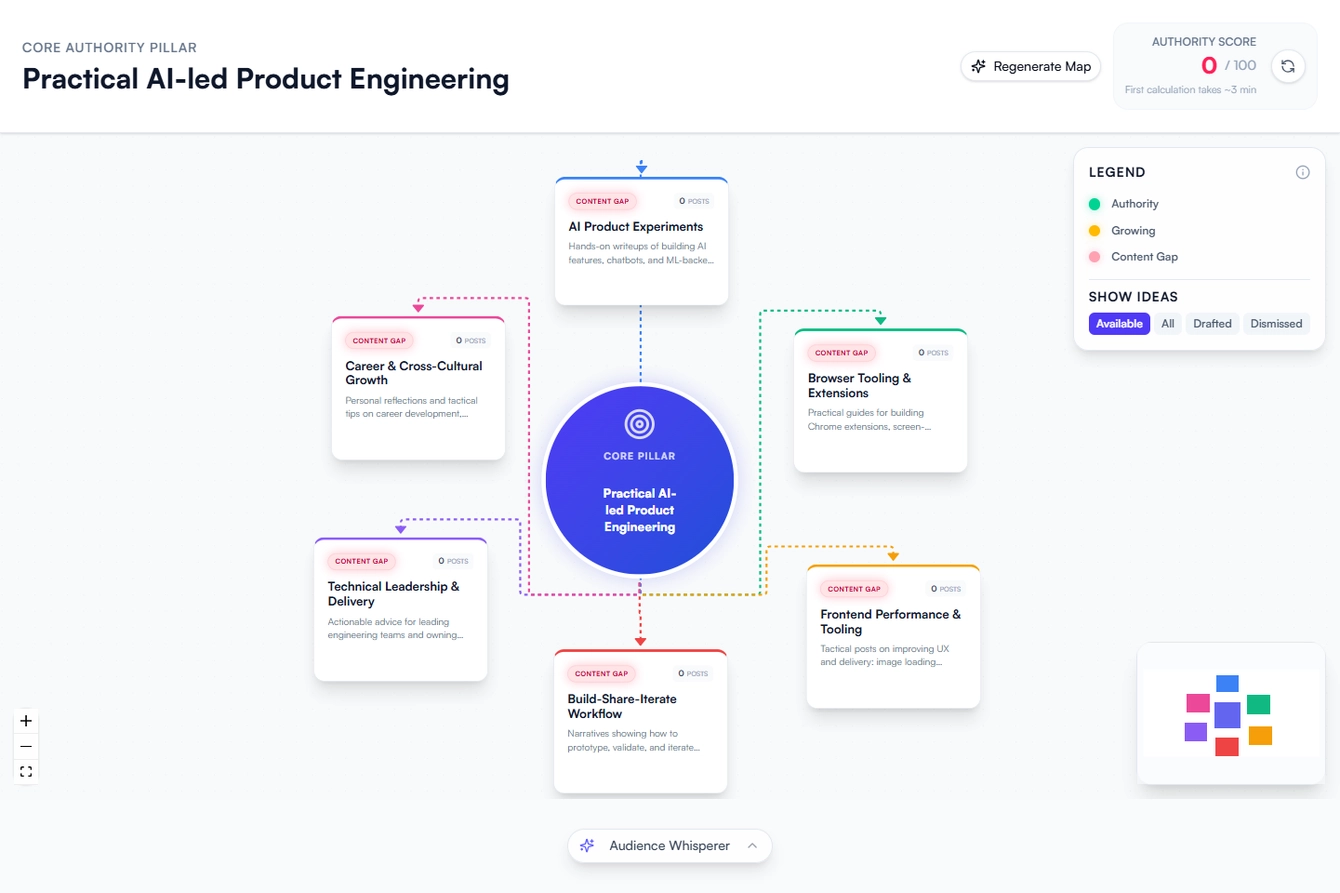
Authority Map
Visualize your content strategy. See exactly where you stand and which topics to own.
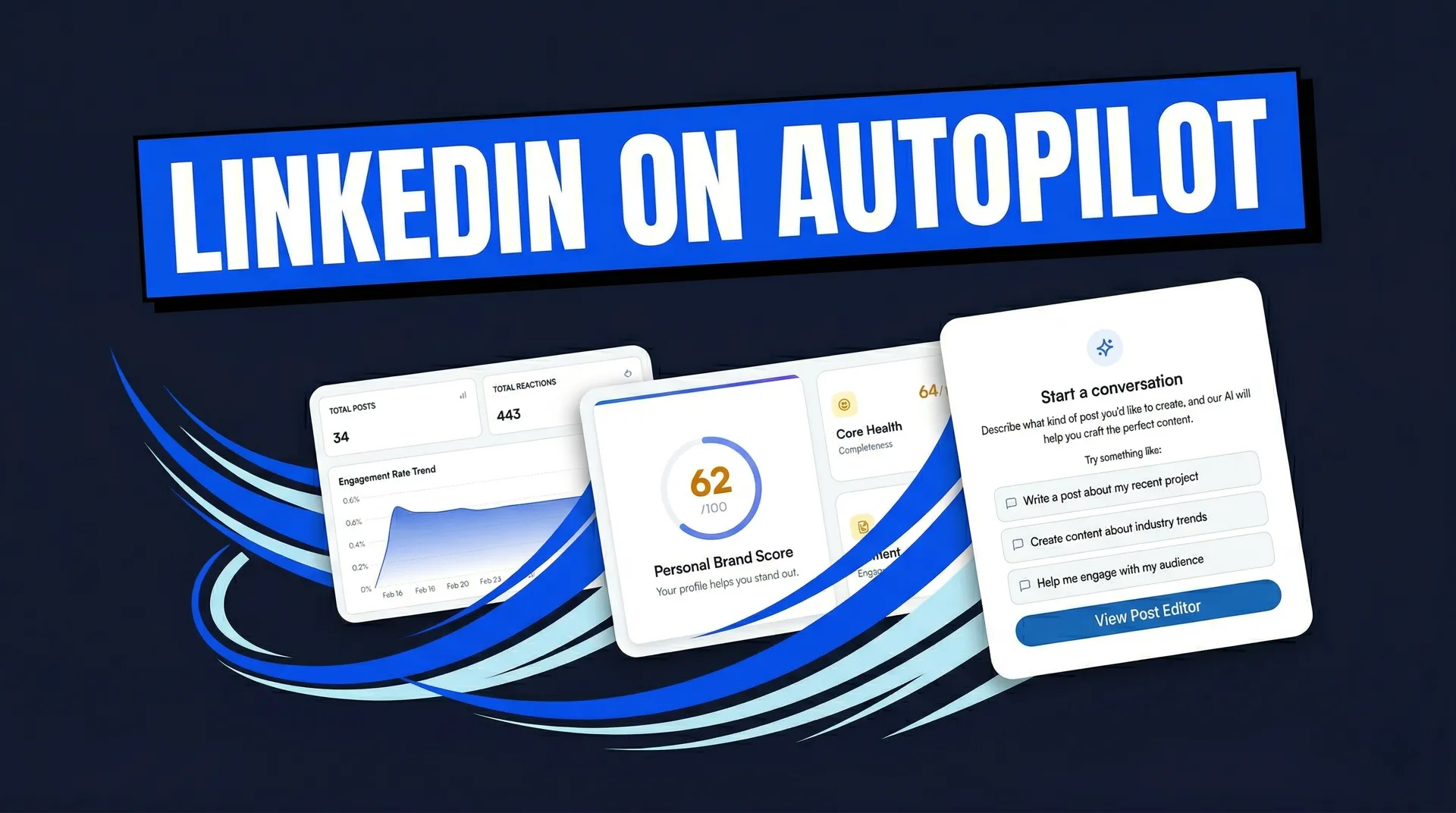
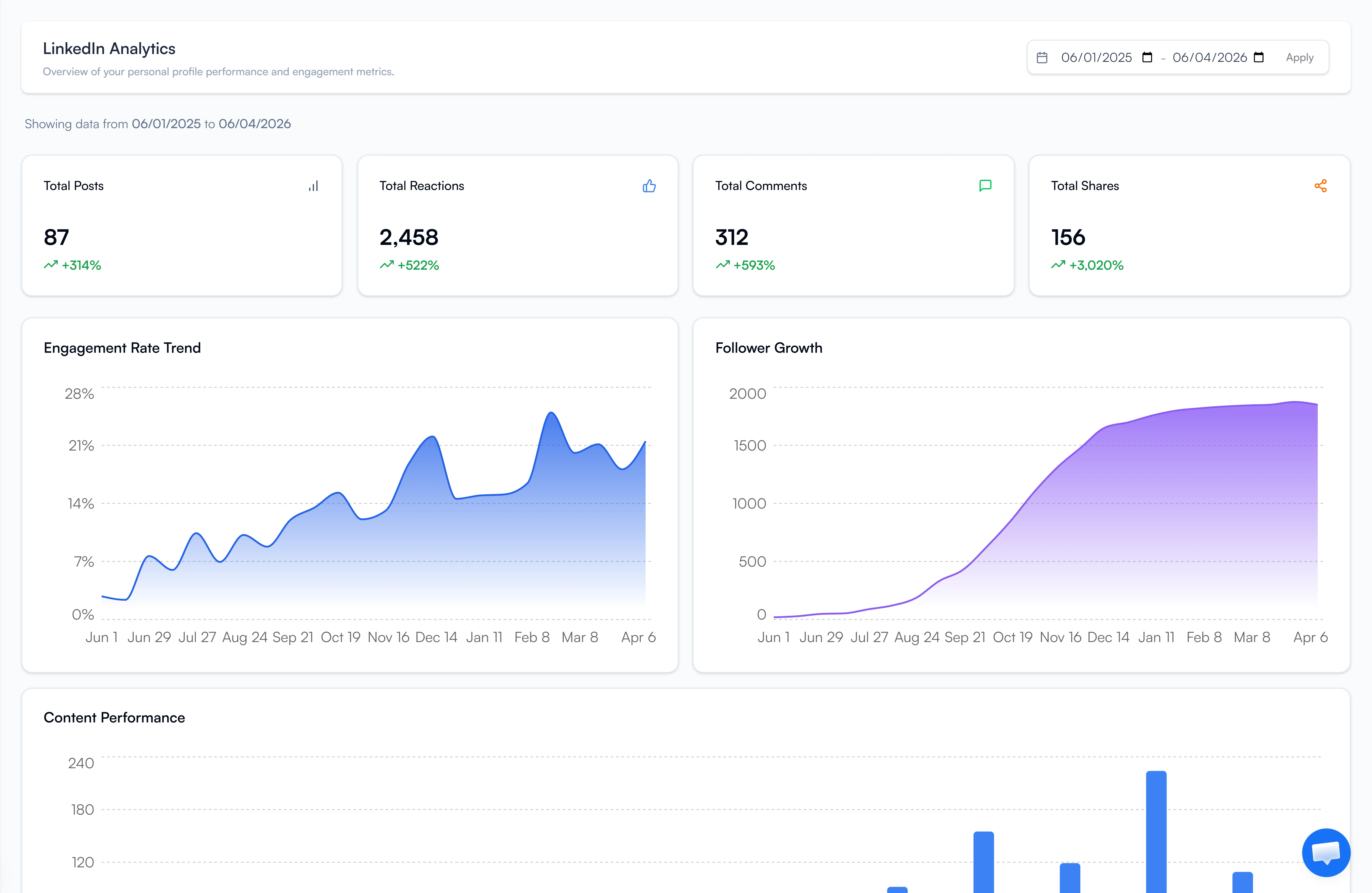
Analytics Dashboard
Track engagement trends, follower growth, and content performance - then double down on what works.
Trending Topics
See what is trending in your niche today. Research any topic with AI and post while it is still relevant.
Infographic Generator
Create professional data visuals from templates or let AI generate them for you.
Content Calendar
Plan a month of content in 15 minutes. Stay consistent, grow faster.
Post Scheduler
Schedule single posts or bulk-queue a week of content. Set it, forget it, grow on autopilot.
Post on Trends Before They Peak
Every day FeedBoss surfaces trending topics in your niche — each with a suggested LinkedIn angle already written. Hit Quick Post to write immediately, or click Research for an AI brief with key points, stats, and post ideas in under 15 seconds.
- Daily trending topics with ready-made LinkedIn angles
- AI research briefs with key points, stats, and perspectives
- Quick Post or deep research — your call
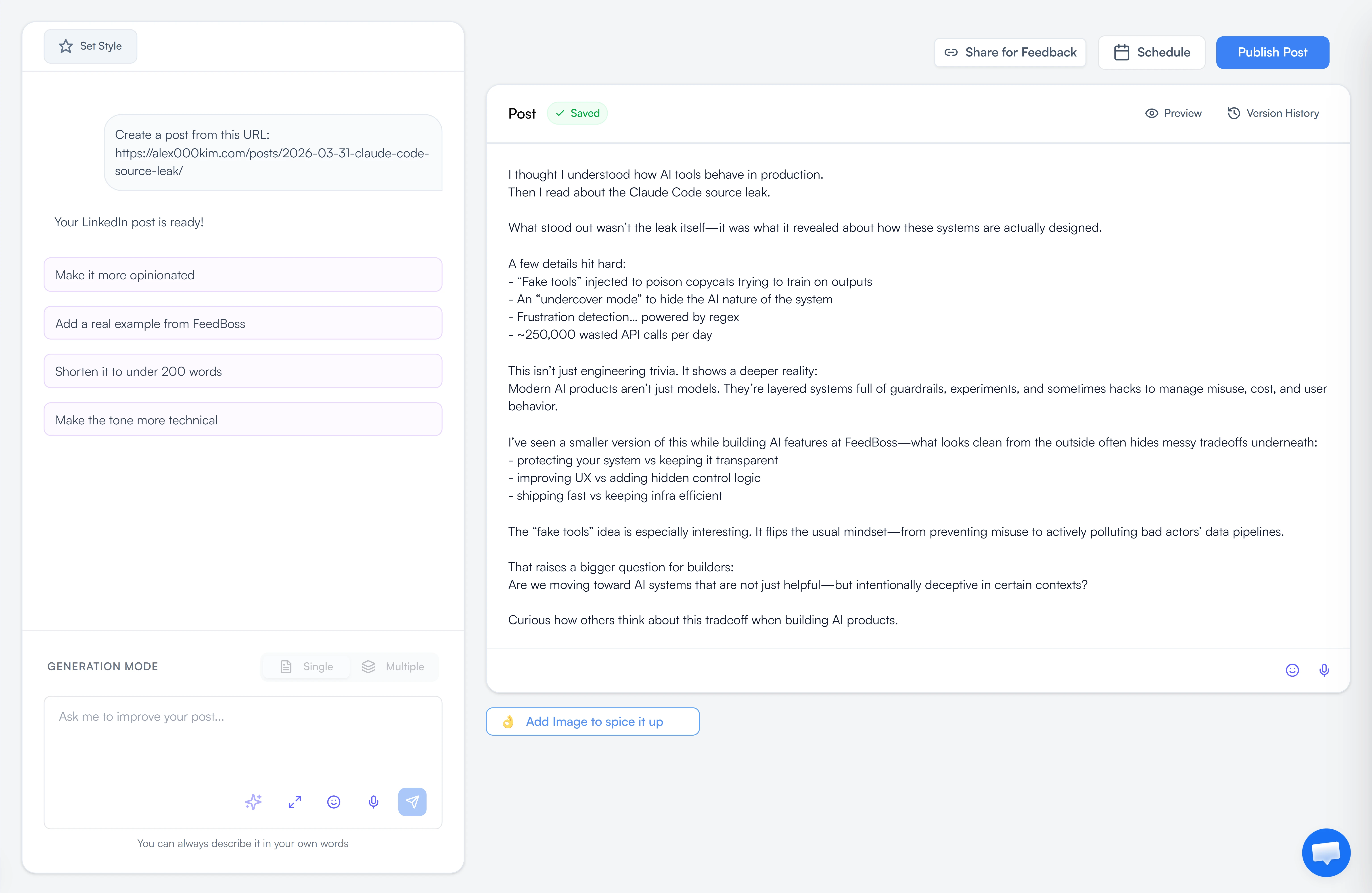
Your AI-Powered LinkedIn Ghostwriter
Just describe what you want to post about - industry trends, a recent project, audience engagement tips - and FeedBoss crafts compelling, publish-ready posts in your unique voice.
- Single or multiple post generation modes
- Customize with your content style and tone
- Edit, refine, and iterate with AI assistance
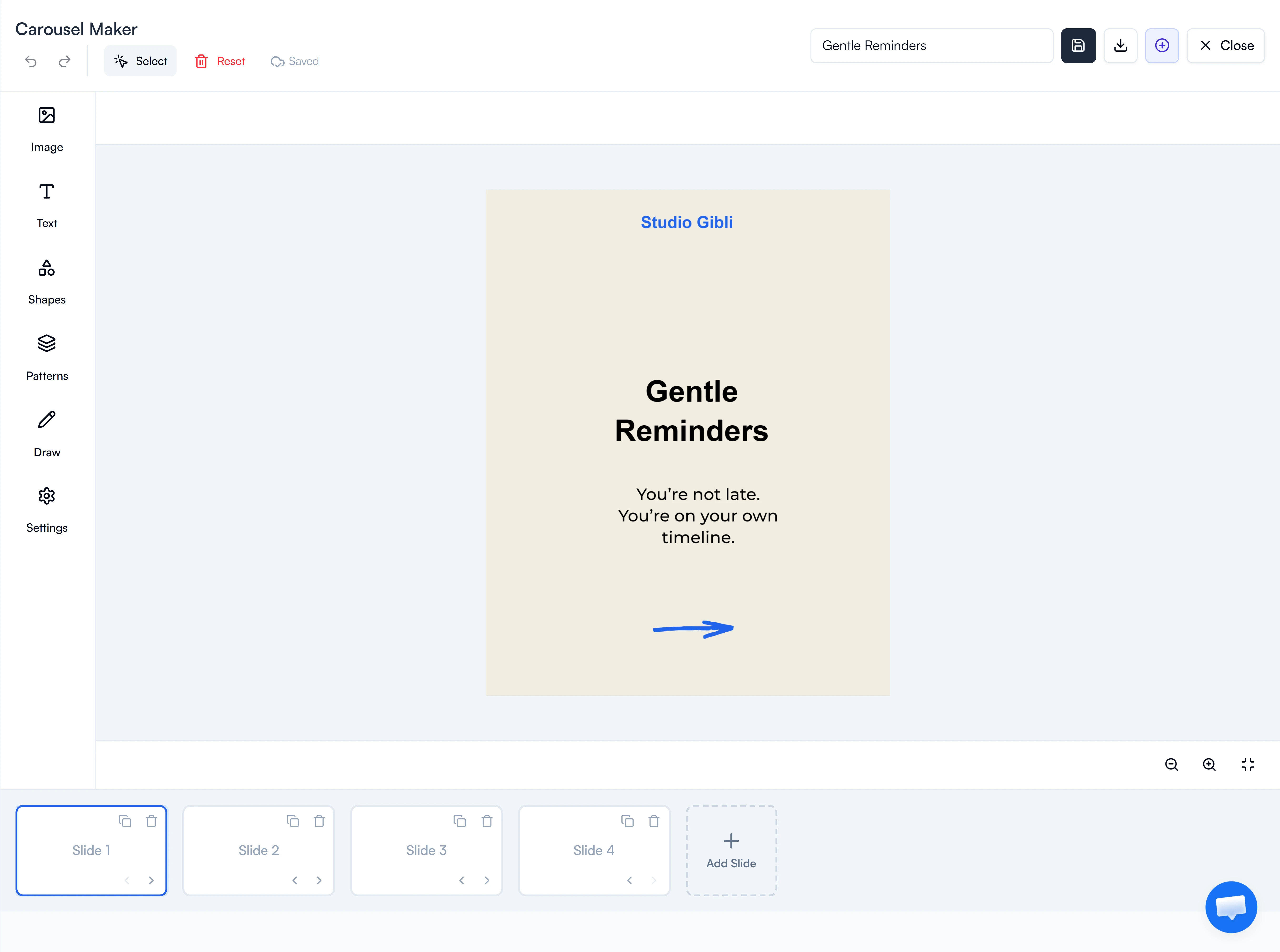
Carousels That Stop the Scroll
LinkedIn carousels get 3x more engagement than regular posts. FeedBoss generates beautiful, on-brand slides complete with illustrations and professional typography.
- AI-generated slides from any topic
- Professional templates and custom designs
- Download as PDF, ready to publish
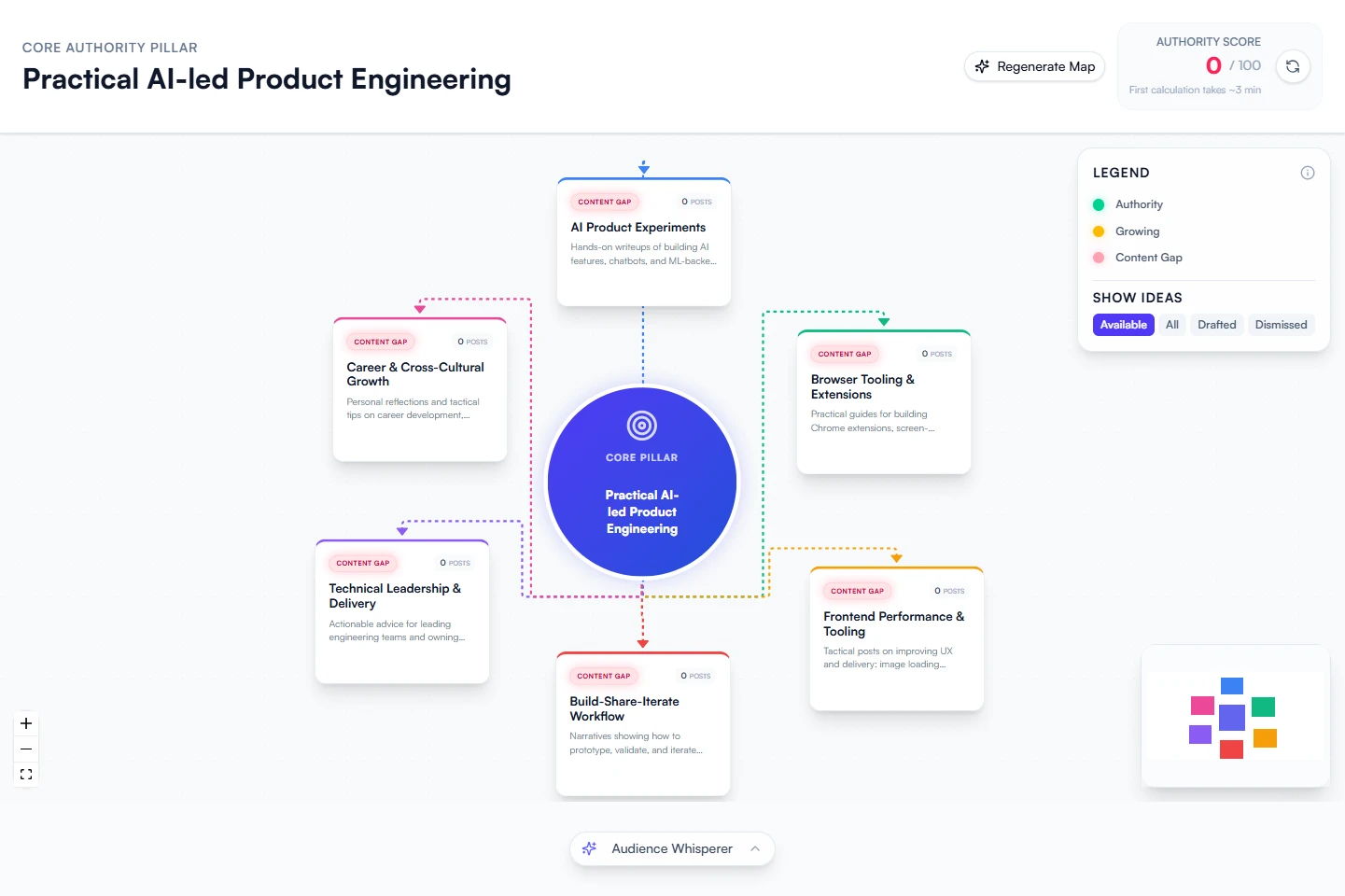
Your Content Strategy, Visualized
The Authority Map is your strategic command center. See your core content pillar, branch topics with authority scores, and discover gaps - so you never run out of things to post.
- Visual topic mapping with authority scores
- AI-generated content ideas for each topic
- Identify gaps and untapped opportunities
Track What Works, Double Down
Stop guessing. Track total posts, reactions, comments, and shares. Monitor engagement trends and follower growth. See your top-performing content and double down on what works.
- Engagement rate trends and follower growth charts
- Content performance breakdowns by type
- Date range filtering and custom reports
Use AI Without Leaving LinkedIn
The FeedBoss Chrome Extension works right inside LinkedIn. Generate contextual comments on any post, send personalized messages in bulk, and grow your network - all without switching tabs.
15+ Tools. One Subscription.
AI content creation, team workflows, engagement tools, and API access — all in one place.
Content DNA
Your AI-generated digital persona. Understand your voice, style, and optimal content strategy.
Content Styles
Define reusable writing styles and tones. Apply them to any post for consistent, on-brand content.
Speech to Text
Dictate your ideas and let AI turn them into polished LinkedIn posts. Create content on the go.
Lead Magnets
Create checklists, swipe files, and frameworks that grow your email list and authority.
Profile Audit
Get a Personal Brand Score and actionable recommendations to improve your LinkedIn visibility.
Trending Topics
See what your audience is talking about right now. Research with AI and post while the topic is hot.
Popular Posts
Discover trending content in your niche. See what's going viral and adapt winning strategies.
Engagement Tools
Manage interactions, track key profiles, and grow your community with smart engagement.
Public Feedback
Share posts via a public link and collect feedback from anyone before publishing.
Team Approvals
Submit posts for review and maintain brand consistency with approval workflows.
Workspaces
Organize clients, brands, or projects into separate workspaces — each with its own content and settings.
API Access
Integrate FeedBoss into your own apps with our API. Automate content workflows programmatically.
LinkedIn Connect
Connect your LinkedIn account to personalize AI-generated content based on your profile and activity.
No credit card required
What Real Creators Are Saying

"FeedBoss fills the gap just rightly! I was amazed by the simplicity and suggestive nature of the app. For a professional like me in consultancy, personal branding becomes a key factor for success."

"FeedBoss has revolutionized the way I use LinkedIn. So easy to create different kinds of content in the shortest time possible. The content quality is also decent. Also liked the engagement and popular posts segments."

"In this era of getting attention, regular posting in LinkedIn was impossible as my activity increased. Feedboss came here as a savior. Now my posts are auto-written, scheduled & I'm tension-free."

"Using Feedboss has transformed how I show up on LinkedIn. It automatically creates tailored posts, and the content is mostly on point. It feels like having a personal content strategist on autopilot."
"FeedBoss fills the gap just rightly! I was amazed by the simplicity and suggestive nature of the app. For a professional like me in consultancy, personal branding becomes a key factor for success."
"FeedBoss has revolutionized the way I use LinkedIn. So easy to create different kinds of content in the shortest time possible. The content quality is also decent. Also liked the engagement and popular posts segments."
"In this era of getting attention, regular posting in LinkedIn was impossible as my activity increased. Feedboss came here as a savior. Now my posts are auto-written, scheduled & I'm tension-free."
"Using Feedboss has transformed how I show up on LinkedIn. It automatically creates tailored posts, and the content is mostly on point. It feels like having a personal content strategist on autopilot."

"Feedboss feels like having a mini personal assistant dedicated to growing my LinkedIn presence. I can brainstorm ideas with AI, design quick visuals, schedule everything - all in one place."

"Unique great experience starting with the app! Highly recommended for marketing professionals."

"What else can I ask for? Seamless onboarding and on the spot service designed to work effectively! Keep up the great work team!!"
"FeedBoss fills the gap just rightly! I was amazed by the simplicity and suggestive nature of the app. For a professional like me in consultancy, personal branding becomes a key factor for success."
"Feedboss feels like having a mini personal assistant dedicated to growing my LinkedIn presence. I can brainstorm ideas with AI, design quick visuals, schedule everything - all in one place."
"Unique great experience starting with the app! Highly recommended for marketing professionals."
"What else can I ask for? Seamless onboarding and on the spot service designed to work effectively! Keep up the great work team!!"
"FeedBoss fills the gap just rightly! I was amazed by the simplicity and suggestive nature of the app. For a professional like me in consultancy, personal branding becomes a key factor for success."
Start Free. Upgrade When Ready.
Starter
For solo creators getting started
- Connect one profile
- AI-powered content creation
- Personalized AI Strategist
- Carousel maker
- Post Scheduling
- Infographic Maker
- Post repurposing and formatting
- Limited Templates Access (Carousel & Infographic)
- LinkedIn Audit
- Authority Map
- Lead Magnet
- Engagement
- Analytics
- Client Access
- Team Access
- Post Approval system
Pro
For creators posting consistently
- Connect one profile
- AI-powered personalized post creation
- Authority Map
- Carousel maker
- Infographic Maker
- Lead Magnet
- Engagement
- Access to Premium Templates (Carousel & Infographic)
- LinkedIn Audit
- Analytics
- Client Access
- Team Access
- Post Approval system
Agency
For teams managing multiple accounts
- Connect 5 profiles
- AI-powered content creation
- Carousel maker
- Infographic Maker
- LinkedIn Audit
- Post Scheduling
- Authority Map
- Lead Magnet
- Engagement
- Client Access
- Team Access
- Access to Premium Templates (Carousel & Infographic)
- Analytics
- Post Approval system
Frequently Asked Questions
How is FeedBoss different from ChatGPT for LinkedIn?
Will the AI content sound like me?
Is there a free trial?
Can I schedule posts directly to LinkedIn?
What is the Authority Map?
Can my team use FeedBoss together?
Ready to own your LinkedIn
in 3 simple steps?
Pick your voice
Set your tone, topics, and style. FeedBoss learns how you write so every post sounds like you.
Generate & customize
Get AI-drafted posts, carousels, and hooks in seconds. Edit or publish as-is.
Post & grow
Schedule content, track what works, and watch your audience grow week over week.