

10 Best Saywhat AI Alternatives for LinkedIn Content (2026)
Saywhat AI charges $60 per month for LinkedIn content. That is a lot when you are just starting to build your presence. And the costs do not stop there. Features like “Roast My Post” cost another $99 per month if you want feedback.
In our research, we found creators leave for three clear reasons.
The price jumps quickly when you need basic features. The AI starts strong but repeats the same patterns after a few weeks, so you edit more than you write. And you are stuck on LinkedIn alone when you also post on X or Instagram.
We tested ten alternatives that solve these problems without the heavy cost.
Key Takeaways
Here is what matters before you dive into the full list.
- FeedBoss wins on value at $29 with planning tools Saywhat lacks.
- Supergrow costs $19 and learns your voice faster than most tools.
- Taplio works for sales teams but costs more and carries ban risks.
- Brandled handles LinkedIn and X together so you post everywhere.
- AuthoredUp skips AI and helps you format posts yourself.
- Draftly turns any article or video into LinkedIn content instantly.
- Kleo trains on your voice for free and keeps writing simple.
- Buffer schedules everywhere for $6 per channel.
- EasyGen matches Saywhat’s price but moves faster with trends.
- Postwise covers three platforms from one dashboard.
Quick Comparison Table
See how they stack up side by side.
Tool | Platforms | Starting Price | AI Content | Best For |
|---|---|---|---|---|
FeedBoss | $29/month | Yes | Planning + carousels | |
Supergrow | $19/month | Yes | Voice learning | |
Taplio | $39/month | Yes | Sales leads | |
Brandled | LinkedIn + X | $29/month | Yes | Two platforms |
AuthoredUp | $19.95/month | No | Formatting posts | |
Draftly | $19/month | Yes | Repurposing content | |
Kleo | Free / $19/month | Yes | Free voice training | |
Buffer | Multi-platform | $6/month per channel | Basic | Simple scheduling |
EasyGen | $59.99/month | Yes | Trend-based writing | |
Postwise | LinkedIn + X + IG | $37/month | Yes | Three platforms |
1. FeedBoss
FeedBoss gives you what Saywhat promises without the sticker shock.
You pay $29 per month and get unlimited AI writing. No credits that run out. No upsells for basic features. Just post creation, scheduling, and analytics in one place.
The content calendar shows your whole month at once. You drag posts around, fill gaps, and see where you need more content. Saywhat does not give you this view. You write one post at a time and hope you remember what comes next.
Carousels come built-in. You pick a template, add your text, and export slides ready for LinkedIn. No need to open Canva or hire a designer.
Smart scheduling posts when your audience actually scrolls. You set your time slots once. The tool handles the rest.
Key Features
- Visual Calendar: Plan weeks ahead and move posts with drag and drop.
- Unlimited AI: Write as many posts as you want without hitting limits.
- Carousel Builder: Create multi-slide posts inside the tool.
- Smart Scheduling: Post at optimal times automatically.
- Performance Tracking: See which posts bring followers and engagement.
Pricing
FeedBoss starts at $29 per month for full features. The Professional plan is $59, and Agency is $149 for teams.
Who It Is For
FeedBoss fits creators who want to plan content ahead instead of scrambling daily. Consultants and coaches benefit most from the calendar view.
2. Supergrow
Supergrow costs $19 and trains on your voice faster than tools charging triple.
You feed it ten of your past posts. The AI studies your word choice, sentence length, and tone. Within a day, it writes posts that sound like you.
The Kanban board organizes your workflow. You see drafts, scheduled posts, and published content in separate columns. Move cards as you progress. This keeps you organized when you post daily.
First-comment scheduling helps you add CTAs without cluttering your main post. You publish the post. The tool drops your comment minutes later. LinkedIn sees this engagement and pushes your content further.
Key Features
- Voice Training: Learns your style from past posts.
- Kanban Board: Visual workflow for content stages.
- First-Comment Scheduler: Boost engagement with timed comments.
- Voice to Post: Talk and get written content.
- Carousel Maker: Build visual posts without design tools.
Pricing
Supergrow costs $19 per month for Starter. Pro is $39 with analytics and engagement lists.
Who It Is For
Supergrow fits freelancers and agencies who need authentic voice matching without high costs.
3. Taplio

Taplio offers the biggest feature set but asks for the most money and carries the most risk.
The lead database holds over 3 million contacts. You filter by industry, job title, and company size. Then you reach out to prospects who match your ideal client. This alone justifies the cost for sales teams.
The viral post library shows what works in your niche. Study high-performing content, spot patterns, and adapt the structure for your own posts.
But Taplio uses browser extensions and cookie scraping. LinkedIn detects these methods. Users report warnings and temporary restrictions. The tool works until it does not.
Pricing starts at $39 and climbs to $199 for the full lead database.
Key Features
- Lead Database: 3 million contacts for outreach.
- Viral Library: 4 million posts to study and learn from.
- Advanced Analytics: Deep metrics on growth and engagement.
- Team Features: Multiple users and collaboration tools.
- DM Automation: Send personalized messages at scale.
Pricing
Taplio starts at $39 per month. Standard is $65, and Pro reaches $199.
Who It Is For
Taplio suits sales teams and agencies who need leads and accept the account risk.
4. Brandled

Brandled lets you post to LinkedIn and X without switching tools.
The side-by-side editor shows both platforms as you write. You craft a LinkedIn post, then adapt it for X with one click. The tool adjusts length and formatting automatically. This saves hours when you maintain presence on both platforms.
Voice learning works like other tools. Upload samples. The AI matches your tone. But Brandled adds context addons where you feed business details, milestones, and offers. The AI weaves these into posts naturally.
The AI Strategist analyzes your performance and suggests content types, posting times, and topics. You get direction without hiring a consultant.
Key Features
- Dual Platform: Write for LinkedIn and X together.
- Context Addons: Store business details for natural inclusion.
- AI Strategist: Get recommendations based on performance.
- Voice Learning: Match your writing style.
- Auto-Adaptation: Convert posts between platforms instantly.
Pricing
Brandled costs $29 per month for one platform or $39 for both.
Who It Is For
Brandled fits entrepreneurs who need LinkedIn and X presence without managing two workflows.
5. AuthoredUp
AuthoredUp skips AI entirely and focuses on making your manual posts look great.
The preview shows exactly how your post appears on desktop, mobile, and tablet. You spot line break issues and formatting problems before you publish. No more editing after posting.
Formatting tools add bold, italics, and bullets that LinkedIn’s native editor lacks. Your posts stand out in crowded feeds.
The hooks library gives you 300 opening lines when you feel stuck. Browse by category, pick one that fits, and build your post around it.
This tool assumes you want to write yourself. If you need AI help, look elsewhere.
Key Features
- Post Preview: See exact appearance before publishing.
- Formatting Tools: Bold, italics, and bullets for LinkedIn.
- Hooks Library: 300 opening lines for inspiration.
- Device Testing: Check mobile and desktop views.
- Chrome Extension: Edit directly in LinkedIn.
Pricing
AuthoredUp costs $19.95 per month for individuals.
Who It Is For
AuthoredUp fits writers who prefer manual creation and need formatting polish.
6. Draftly
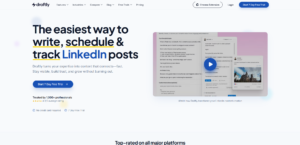
Draftly turns any URL into LinkedIn content in seconds.
Paste a YouTube link, blog post, or news article. The AI extracts key points and writes a LinkedIn post based on the content. You repurpose valuable content without starting from scratch.
The brand voice training studies your past posts and matches your tone. New content sounds like you wrote it, not like a summary.
The commenting tool suggests thoughtful comments on other people’s posts. You browse LinkedIn, click the extension, and get context-aware replies. This drives engagement without generic “great post” comments.
Carousels come built-in. Pick a template, add content, and export.
Key Features
- URL to Post: Turn any link into LinkedIn content.
- Voice Matching: Learn and replicate your writing style.
- Comment Assistant: Suggest meaningful comments on posts.
- Carousel Builder: Create visual posts without design tools.
- Smart Scheduling: Queue posts for optimal times.
Pricing
Draftly offers a free plan. Paid starts at $19 per month.
Who It Is For
Draftly fits creators who curate content from multiple sources and want fast repurposing.
7. Kleo
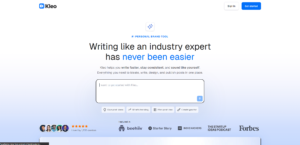
Kleo trains on your voice for free and helps you write faster without losing authenticity.
The free plan includes core voice training. You paste ten posts. The AI learns your patterns. Then you generate new content that sounds like you. No credit card required to start.
The rewrite feature improves drafts that feel off. Paste your post, get suggestions for stronger phrasing, better structure, and clearer points.
The browser extension works across sites. You write on LinkedIn, Google Docs, or anywhere. Kleo suggests improvements inline.
When you need more features, paid plans start at $19.
Key Features
- Free Voice Training: Learn your style at no cost.
- Rewrite Assistant: Improve drafts to match your tone.
- Browser Extension: Write anywhere with AI help.
- Prompt to Post: Turn ideas into full posts quickly.
- Clean Editor: Distraction-free writing space.
Pricing
Kleo is free. Paid plans start at $19 per month.
Who It Is For
Kleo fits solo creators and consultants who want voice-matched writing without upfront cost.
8. Buffer

Buffer keeps scheduling simple across every platform.
You connect LinkedIn, X, Instagram, Facebook, and more. Then you schedule posts for all of them from one dashboard. No jumping between tools.
The AI suggests optimal posting times based on when your audience engages. You follow the recommendations or pick your own slots.
The mobile app lets you schedule on the go. Record a thought, open the app, and queue it for later.
Buffer does not specialize in LinkedIn. The AI writing is basic. You will not get carousels or deep voice training. But for pure scheduling, it works.
Key Features
- Multi-Platform: Schedule to LinkedIn, X, Instagram, and more.
- Simple Interface: Minimal learning curve.
- Optimal Timing: AI suggests best posting times.
- Mobile App: Manage content from anywhere.
- Affordable Pricing: Pay per channel.
Pricing
Buffer costs $6 per month per channel. LinkedIn counts as one channel.
Who It Is For
Buffer fits users who want simple scheduling across multiple platforms without complex features.
9. EasyGen
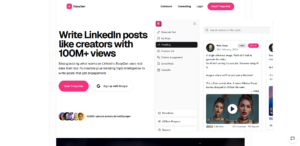
EasyGen generates content fast using live trend data.
The AI scans Google, Reddit, and X for trending topics in your industry. Then it suggests post ideas based on what people actually discuss. You ride the wave of current conversations instead of guessing.
The Chrome extension puts generation inside your browser. You research, click, and create without switching tabs.
Image generation creates visuals for posts at extra cost. You pay $10 for 21 images or $100 for 250.
The $59.99 price matches Saywhat. You get faster trend detection but no calendar or planning tools.
Key Features
- Trend Detection: Pull ideas from live data sources.
- Topic Generator: Surface current conversations.
- Chrome Extension: Create content without leaving your browser.
- AI Images: Generate visuals at extra cost.
- Style Customization: Adjust tone for your brand.
Pricing
EasyGen costs $59.99 per month. Images cost extra.
Who It Is For
EasyGen fits busy professionals who want trend-based content and accept the high price.
10. Postwise

Postwise manages LinkedIn, X, and Instagram together.
The AI learns your voice from samples and applies it across all three platforms. You maintain a consistent tone everywhere without rewriting.
AI image generation creates visuals without separate design tools. You save money on creative software.
Auto-comments add replies to your posts automatically. This may boost early engagement though the authenticity varies.
Analytics stay basic compared to LinkedIn-focused tools. You see simple numbers without deep insights.
Key Features
- Three Platforms: Post to LinkedIn, X, and Instagram.
- Ghostwriter AI: Apply your voice across platforms.
- AI Images: Create visuals without design tools.
- Auto-Comments: Add replies automatically.
- Long Scheduling: Plan posts months ahead.
Pricing
Postwise starts at $37 per month. Pro is $79, and Business is $97.
Who It Is For
Postwise fits creators managing three platforms who want one tool for everything.
Which Alternative Should You Choose?
FeedBoss offers the best balance for most creators.
Saywhat charges $60 for AI writing alone. FeedBoss gives you writing, planning, carousels, and scheduling for $29. You get more tools for half the cost.
Supergrow costs even less at $19 and trains your voice faster. But you miss the calendar view that keeps content organized.
Taplio works if you need leads and accept the account risk. Most creators do not need the lead database.
Brandled helps if you post on LinkedIn and X. For LinkedIn-only creators, FeedBoss goes deeper.
Draftly and Kleo offer unique strengths. Draftly repurposes content fast. Kleo trains your voice free. But neither matches FeedBoss for all-around value.
For pure LinkedIn growth without high costs, FeedBoss wins.
Conclusion
You now have ten options that cost less than Saywhat and work just as well.
FeedBoss leads the pack at $29 with planning tools others lack. Start there if you want structure without premium pricing.
Supergrow and Kleo offer the lowest entry points for voice-matched writing. Taplio serves sales teams who need leads. Brandled and Postwise help multi-platform creators.
Pick based on what you actually need. Then test with a free trial before you commit.
FAQs
- What is the best Saywhat AI alternative?
FeedBoss offers the best value at $29 with content planning, carousels, and unlimited AI writing.
- Which alternative is cheapest?
Kleo is free. Buffer costs $6 per channel. Supergrow starts at $19.
- Which tool has the best voice learning?
Supergrow and Kleo both train fast and accurately. FeedBoss also learns your voice over time.
- Can I use these tools for free?
Kleo and Draftly offer free plans. Most others have free trials.
- Which tool is best for beginners?
FeedBoss and Supergrow both offer simple interfaces and straightforward workflows.
- Do any alternatives work on multiple platforms?
Brandled covers LinkedIn and X. Postwise adds Instagram. Buffer works across all major platforms.
- Which tool replaces Saywhat completely?
FeedBoss replaces Saywhat for most users with better pricing and planning tools.
- Are these tools safe for my LinkedIn account?
FeedBoss, Supergrow, and Kleo use safe methods. Taplio carries ban risks from browser extensions.
- Can I switch from Saywhat easily?
Yes. Most tools offer free trials. Start there and migrate content gradually.
- Which tool offers the best value?
FeedBoss at $29 delivers the most features for the price. Supergrow at $19 is close behind for budget users.
Ready to Grow your Linkedin?
Start Growing your Linkedin Audience with Feedboss