Carousels That Stop the Scroll
LinkedIn carousels get 3x more engagement than regular posts. Generate beautiful, on-brand slides with AI or build from scratch.
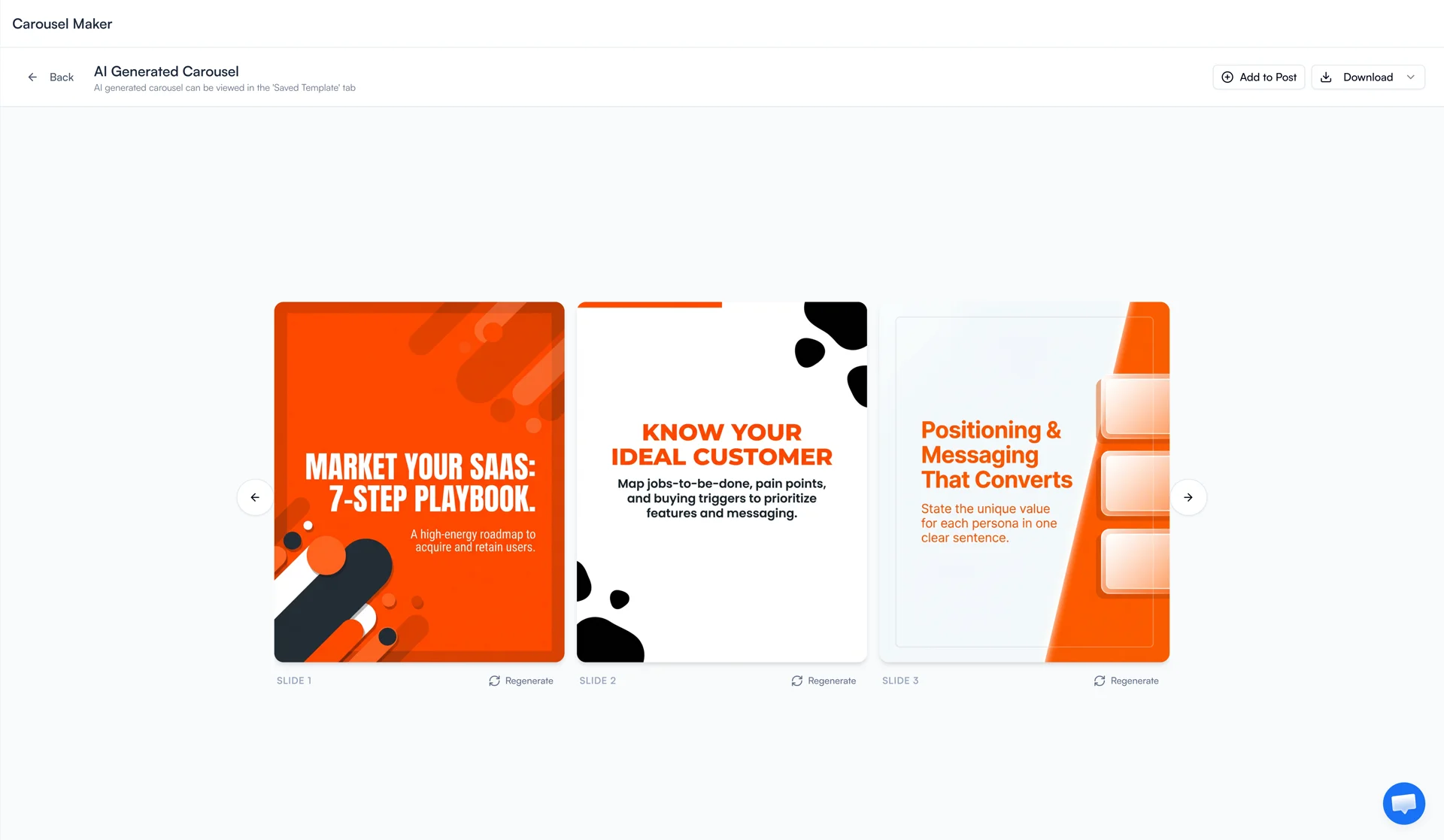
Create Stunning Carousels in Minutes
LinkedIn carousels are the highest-engagement format on the platform. FeedBoss lets you generate professionally designed slides with AI or build them from scratch using a full-featured canvas editor. Choose from templates, customize every element, and export as PDF ready for publishing. Schedule carousels through the Content Calendar or share drafts for review with Public Feedback Links.
Key Features
AI Generation
Describe your carousel content and get professionally designed slides generated automatically.
Canvas Editor
Full editing suite with text formatting, shapes, freehand drawing, and image tools.
Template Library
5+ professionally designed templates spanning categories like sales, product launches, and personal development.
AI Background Removal
Remove image backgrounds with one click for clean, professional visuals.
Slide Management
Drag-and-drop reordering, duplication, and visual navigation between slides.
PDF Export
Export as PDF (required for LinkedIn) or individual image files, save projects for later.
How It Works
Choose Your Starting Point
Choose AI generation or pick from the template library.
Customize Your Slides
Customize slides with the full canvas editor — text, shapes, images, and drawings.
Arrange & Organize
Rearrange slides with drag-and-drop, duplicate or add new ones.
Export & Publish
Export as PDF and publish directly to LinkedIn.
Who It's For
Built for LinkedIn creators at every level
Content Creators & Educators
Turn your expertise into engaging slide formats that teach, inspire, and get shared. Carousels are the highest-engagement format on LinkedIn — use them to grow faster.
Marketers & Growth Teams
Repurpose blog posts, case studies, and data reports into visual carousels without a designer. Maintain brand consistency with templates and custom branding elements.
Coaches & Consultants
Package your frameworks, methodologies, and insights into beautiful slide decks. Attract high-value clients by demonstrating expertise in a format that stops the scroll.
Frequently Asked Questions
Do I need design skills to create carousels?
How do I publish a carousel to LinkedIn?
Can I use my own brand colors and logo?
How many slides can a carousel have?
Related Features
Explore more tools in the FeedBoss platform
AI Post Generator
Generate publish-ready LinkedIn posts in single or batch mode with AI that learns your voice.
Learn more →Infographic Generator
Create professional LinkedIn infographics with AI or build from templates with a canvas editor.
Learn more →Content Calendar
Plan and schedule posts weeks in advance, or auto-generate a full month of content in seconds.
Learn more →Lead Magnets
Create checklists, swipe files, templates, and frameworks to grow your email list and authority.
Learn more →Your LinkedIn Presence Starts Here
Try FeedBoss free — no credit card, no commitment. Your first post in under 2 minutes.
Start Creating FreeFree trial. No credit card required.