AI LinkedIn Post Generator, Carousel Maker & Analytics Tool

Back to Blog Alternatives

9 Best AuthoredUp Alternatives to Try in 2026

Admin Admin 12 min read
authoredup-alternatives


Over the last eight months, I’ve tested LinkedIn tools and talked to creators who ditched AuthoredUp. The complaints are pretty similar: browser extensions that break when LinkedIn updates, formatting suddenly doesn’t work, and a tool designed to polish posts when you can’t figure out what to write. If you’re here because something stopped working, then this article is for you. These nine alternatives fix those exact problems. Let’s find yours.

Top 9 AuthoredUp Alternatives

I’ve narrowed this down to nine tools that solve AuthoredUp’s main weaknesses. Each one fixes specific problems creators hit when formatting tools aren’t enough.

1. FeedBoss

authoredup-alternative-feedboss

This LinkedIn platform is built for creators who want powerful tools that actually work.

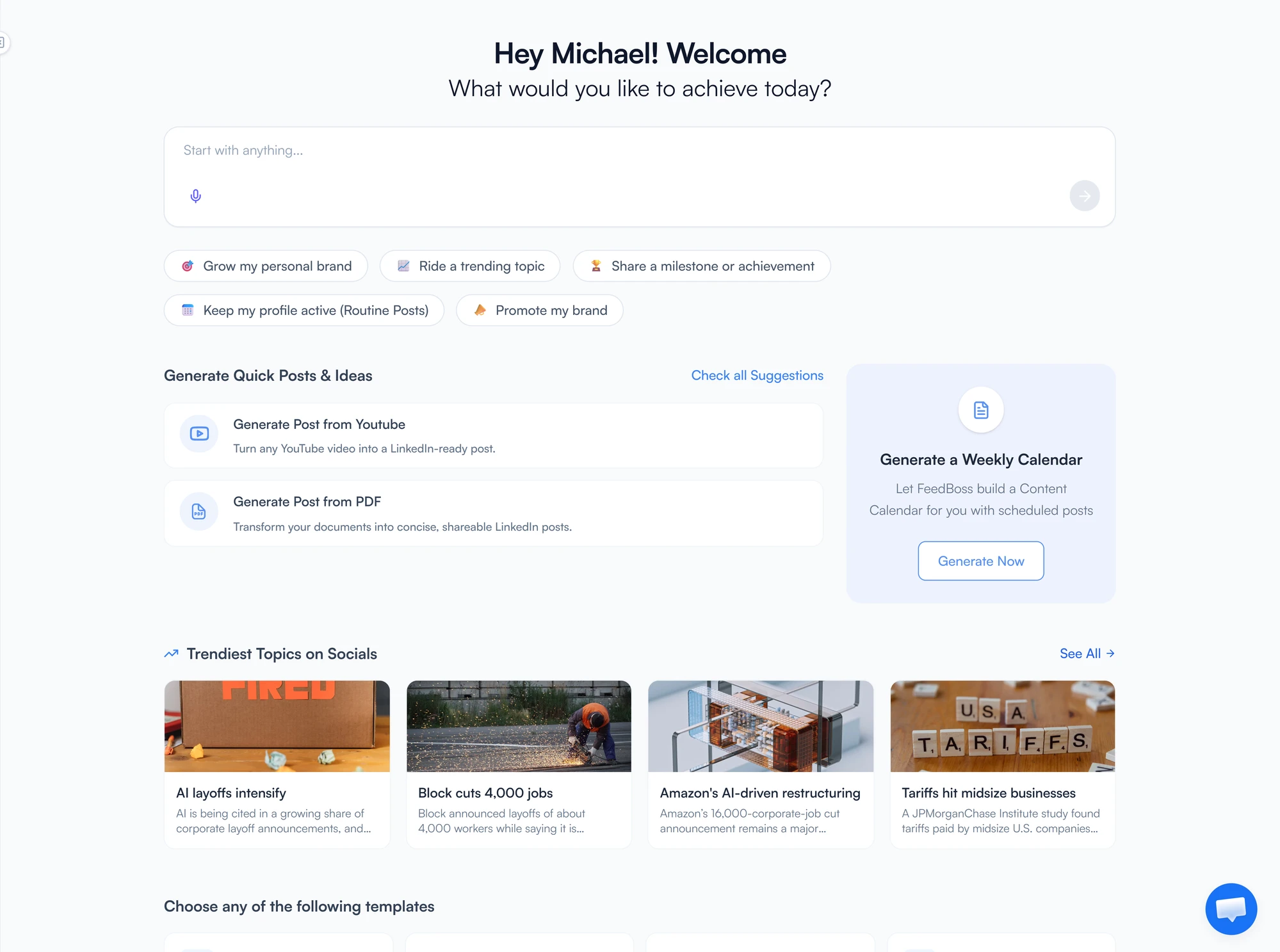
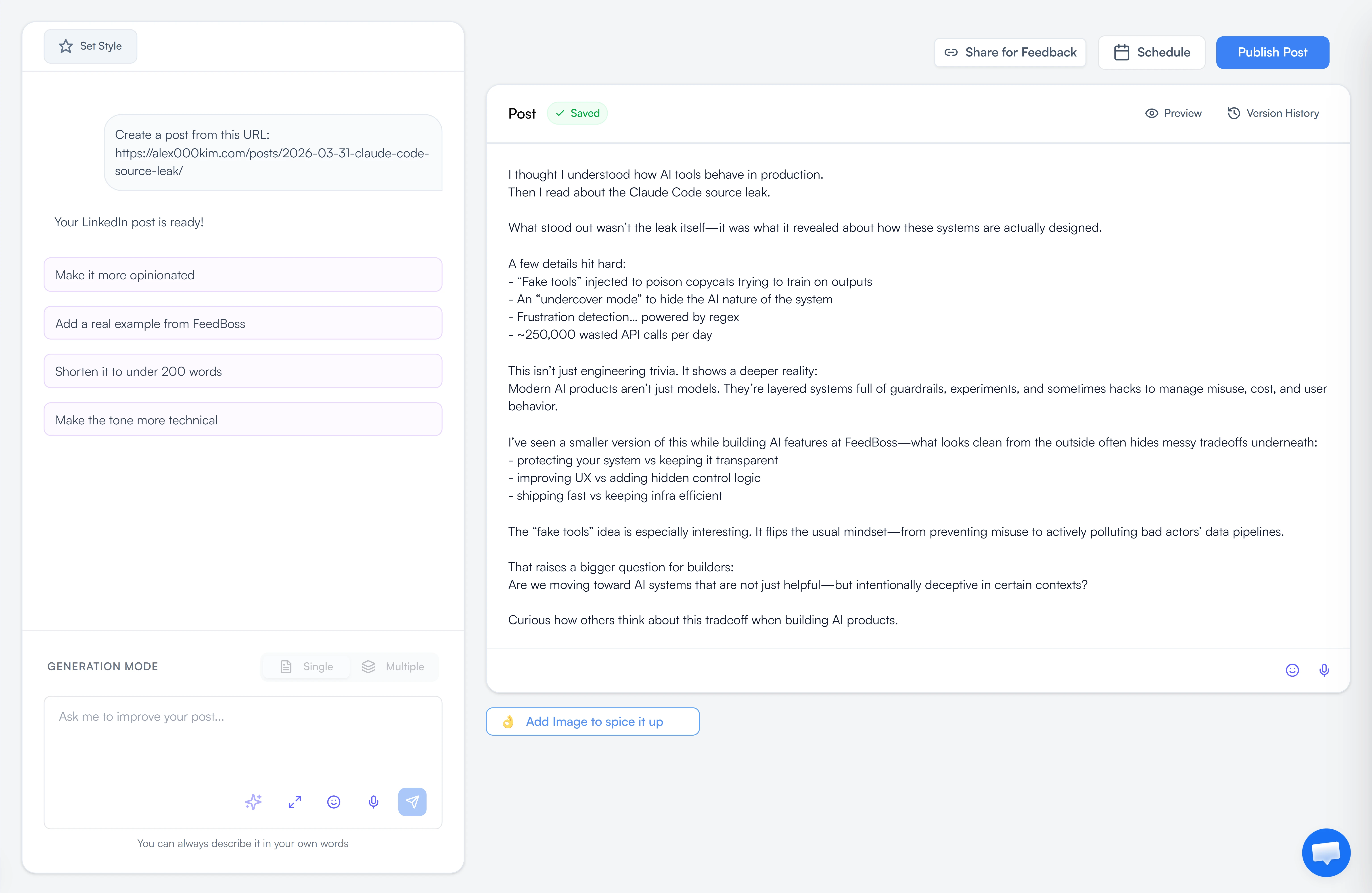
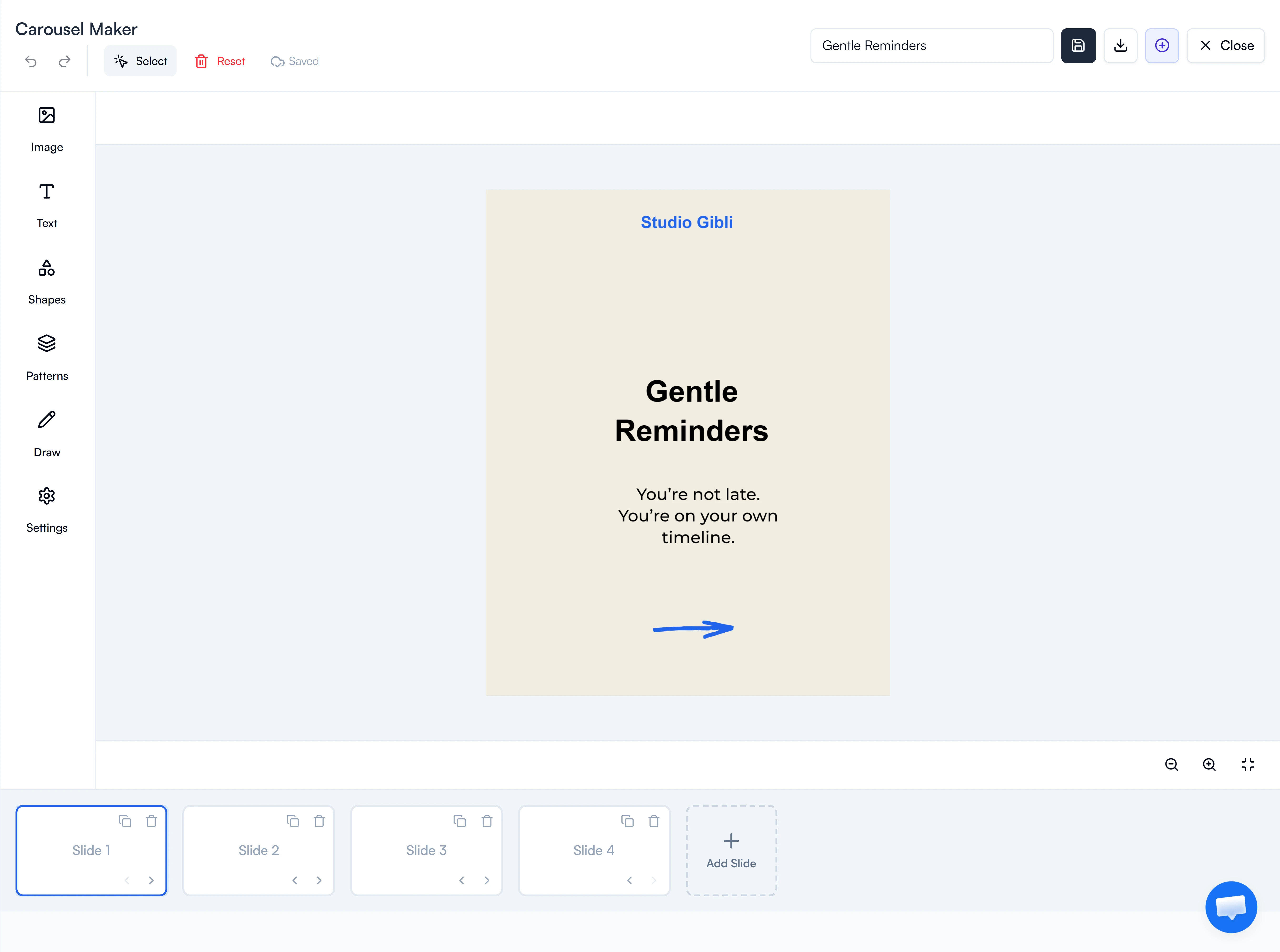
FeedBoss creates as many AI posts as you want, and over time, it picks up on how you naturally write. You also get a complete carousel maker with professional templates, editing tools, and content repurposing that turns videos and articles into LinkedIn posts.

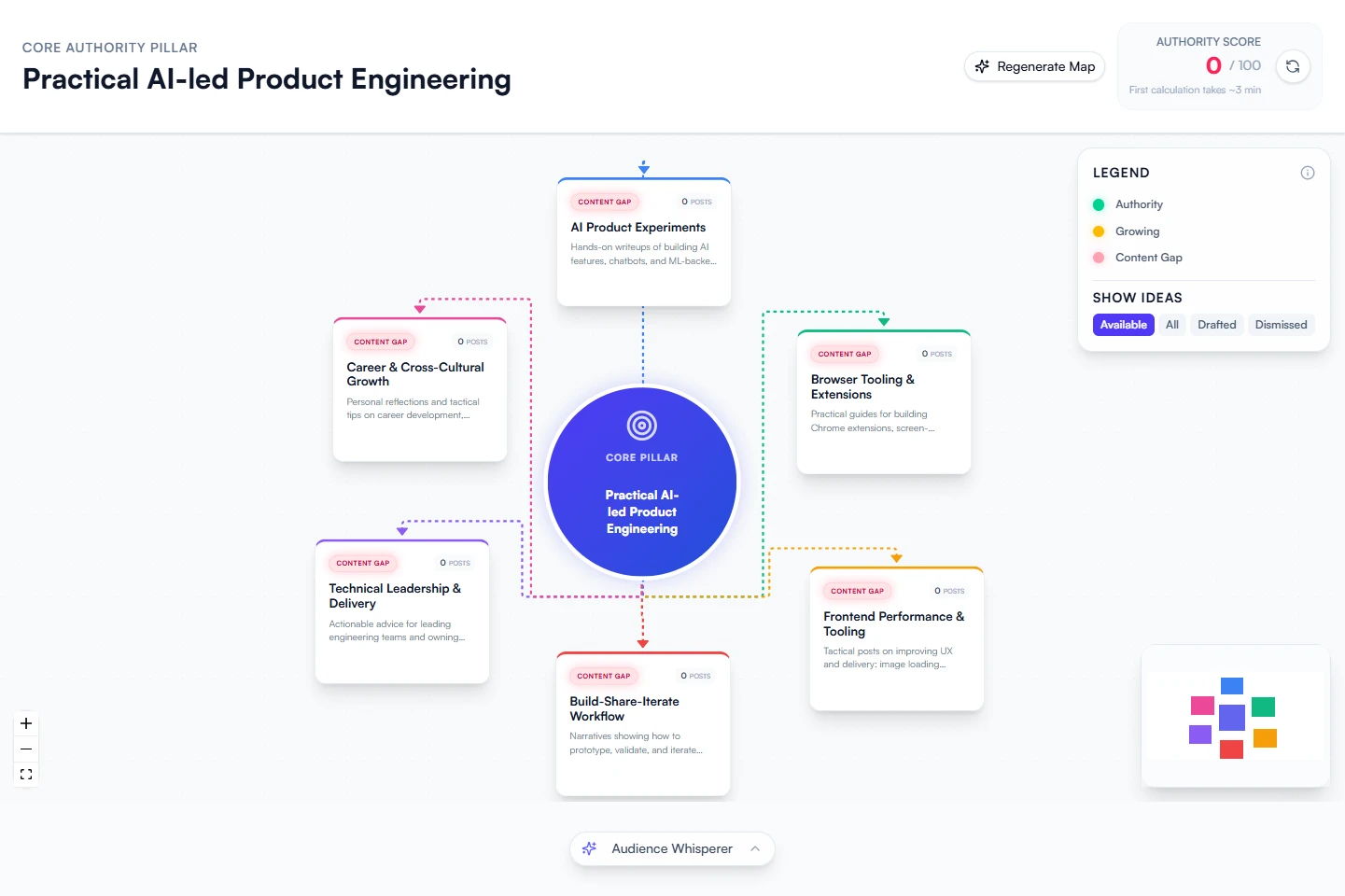
The viral post database updates daily when you’re stuck for ideas. The scheduling tool lets you map out several weeks of posts all at once.

Engagement features include custom lists and AI-powered commenting. It’s available in all pricing levels, unlike most platforms.

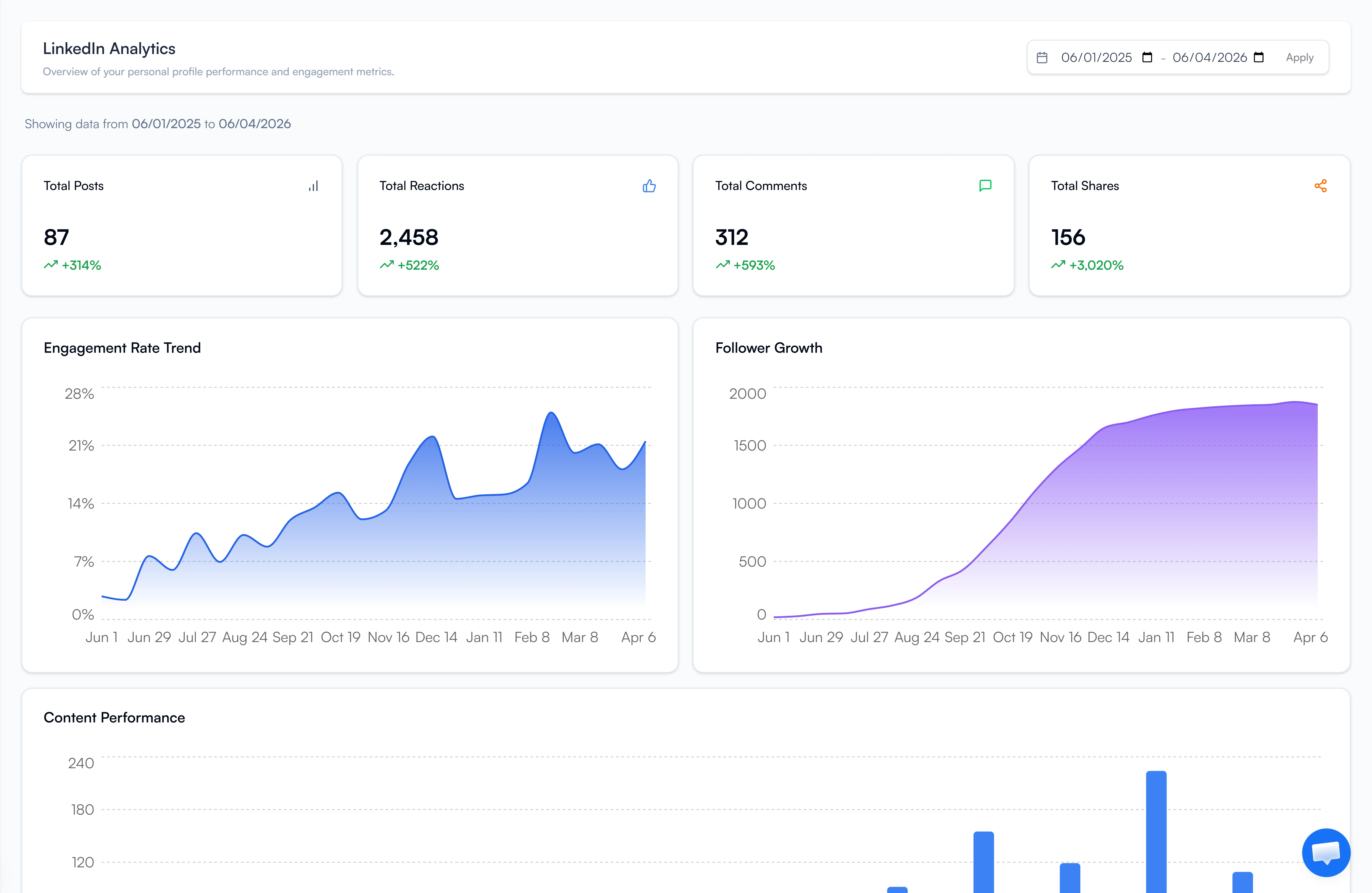
Analytics track follower growth and engagement patterns so you understand what actually works. Everything runs on LinkedIn-safe technology without risky browser extensions that break when LinkedIn changes stuff.

FeedBoss has straightforward monthly and yearly pricing. No hidden fees. No usage caps. No complicated credit systems that make you ration content creation.

Who should use it: Creators, founders, and small agencies who want professional LinkedIn features with clear pricing and unlimited content creation.

Key Features

What FeedBoss delivers from day one:

  • AI Post Generator – Create as many posts as you need while the system picks up your unique writing style.
  • Carousel Maker – Templates, editor, and AI help all in one workflow.
  • Content Repurposing– Transforms videos, articles, and PDFs into LinkedIn-ready posts instantly.
  • Viral Post Database – Daily updated inspiration from top-performing content across LinkedIn..
  • Bulk Scheduling – Map out weeks worth of posts in a session.
  • Engagement Tools – Connection lists and AI-powered comments come with every plan
  • Multiple Users – Team-friendly features without forcing you into expensive agency pricing.

Why FeedBoss Beats AuthoredUp

Here’s why people are switching from AuthoredUp to FeedBoss:

1. Stability Without Browser Extension Problems

AuthoredUp breaks whenever LinkedIn updates. People report constant issues with it turning on, sync failures, and posts disappearing.

FeedBoss runs as a standalone web app. No browser dependencies. It doesn’t break when LinkedIn changes code. It works consistently no matter what LinkedIn does.

2. AI That Actually Creates Content

AuthoredUp provides formatting tools and templates. You still write everything manually.

FeedBoss includes unlimited AI generation that learns your voice. You get complete drafts in seconds, not blank screens you have to fill yourself.

3. Better Value With No Usage Limits

AuthoredUp costs $19.95 monthly ($239/year) for basic formatting tools only.

FeedBoss starts at $29/month ($278/year) with unlimited AI generation, carousels, repurposing, engagement tools, and scheduling. More features, better value, no caps.

4. Everything Included From the Start

AuthoredUp focuses on formatting and preview tools. No AI generation. No carousel maker. No content repurposing.

FeedBoss includes AI, carousels, repurposing, engagement tools, and scheduling, even in the $29 starter tier.

5. Built for Creation, Not Just Formatting

AuthoredUp makes your posts look better. You’re still on your own for coming up with ideas and deciding when to publish.

FeedBoss handles the entire content workflow from ideas through scheduling, letting you focus on strategy instead of logistics.

Pros

  • Unlimited AI content with no usage caps
  • Learns your specific writing style
  • Built-in carousel maker with professional templates
  • LinkedIn-safe (won’t get you banned)
  • Engagement tool in all plans as standard
  • Free help getting started
  • Affordable monthly and yearly options

Cons

  • There’s no dedicated mobile app, but you can use it fine on your phone’s browser.
  • Analytics work well but aren’t as in-depth as specialized tracking platforms.

Pricing

FeedBoss offers three tiers:

Starter – $29/month or $278/year:

  • Unlimited AI posts
  • Repurposing tools
  • Viral post database
  • Basic scheduling
  • 1 user

Professional – $59/month or $556/year:

  • All Starter features included
  • Carousel creator with ready-made templates
  • Schedule posts in batches
  • Engagement features and personalized lists
  • AI comment generator
  • 3 users

Agency – $149/month or $1,430/year:

  • Everything in Professional
  • Full analytics
  • Priority support
  • White-label options
  • Unlimited users
  • Manage client workspaces

Every tier includes a 7-day free trial.

2. Taplio


Taplio is the data platform for creators who refuse to guess what works.

The tool goes beyond basic scheduling. Its a full growth system with analytics that show you what’s performing well and the reasons behind it.

Most tools show basic numbers like views and likes. Taplio breaks it down by content type, when you posted, who’s engaging, and patterns over time.

You might discover that your how-to carousels get three times more engagement from director-level people compared to promotional posts.

The 3 million contact database sets Taplio apart from regular content tools. Filter by job title, company size, follower count, and how people engage. You’re not just creating random content—you’re finding and connecting with the right people.

Who should use it: Data-focused creators, agencies, and marketers who care about analytics as much as content.

Key Features

Taplio covers everything for LinkedIn growth:

  • AI Content Generation – GPT-4 powered posts customized for your field and who you’re trying to reach.
  • Smart Scheduling – Automatically schedules content when your audience is most active.
  • Analytics Dashboard – Tracks follower growth, engagement, and post performance with strategic depth.
  • Content Library – Browse posts from top creators for ideas.
  • Lead Database – Access 3M+ leads with filters for title, location, and followers.
  • Team Features –Set different permission levels and create approval processes perfect for agencies.

Pros

  • Strong AI that understands your industry
  • Deep analytics with actual insights
  • Smart automation for engagement
  • Huge library of content ideas
  • Lead generation built right in

Cons

  • Takes longer to learn than simple tools
  • More expensive than basic formatting tools
  • LinkedIn only

Pricing

  • Starter – $39/month
  • Standard – $65/month
  • Pro – $199/month

3. Supergrow

Supergrow prioritizes two critical things: LinkedIn account safety and authentic voice.

Many LinkedIn tools use risky tactics like browser extensions, cookie scraping, and session hijacking. LinkedIn’s security systems catch these behaviors. This results in account warnings and bans.

Supergrow avoids these methods completely. It uses API-based publishing that fully follows LinkedIn’s rules. Your account stays protected.

The Personal Writing Styles feature trains the AI on your writing patterns. Upload your previous posts, and the system analyzes your tone and sentence structure. Generated content sounds like you instead of sounding like a template.

The first comment scheduler gives you a strategic advantage. Post your main content first, then automatically drop a follow-up comment with CTAs or more information. This keeps your main post clean while working with LinkedIn’s algorithm.

Who should use it: Solo business owners, ghostwriters handling multiple clients, and creators looking for straightforward tools without the extra fluff.

Key Features

  • AI Post Generator – Content trained on your personal voice and tone.
  • Content Calendar & Kanban Board – Plan visually by dragging and dropping content around.
  • Carousel Maker – Design branded carousels inside the platform.
  • First Comment Scheduler – Schedule CTAs and extra content as follow-up comments.
  • Voice to Post – Convert spoken thoughts into ready-to-publish content.
  • Swipe File + Viral Feed – Bookmark ideas you like and check out what’s trending.
  • Engage Lists – Create custom engagement lists with AI-powered comments.
  • Analytics – Monitor growth patterns and engagement trends.

Pros

  • AI learns how you naturally write
  • LinkedIn safe design keeps your account protected
  • First comment scheduling boosts reach
  • Built-in carousel maker
  • Turn voice recordings into posts
  • Good for independent workers and agencies
  • Affordable pricing without credit restrictions

Cons

  • LinkedIn only (no cross-platform scheduling)
  • No mobile app currently (web/desktop only)

Pricing

  • Starter – $19/month
  • Pro – $39/month

7-day free trial with 20% annual discount available.

4. Socialsonic

authoredup-alternative-socialsonic

Socialsonic is for creators who compete on staying relevant, not just posting a lot.

The Viral Posts Alert doesn’t just report what trended yesterday. It analyzes engagement, share patterns among influential accounts, and catches trends as they’re rising. You get first mover advantage before topics get old.

The AI Content Studio handles different content types such as short posts, longer articles, and comment responses, and keeps everything sounding like you.

Your brand stays consistent whether you’re writing thought leadership pieces or commenting on someone’s viral post.

The smart scheduler studies when your particular audience is online and active, then posts during those peak times.

Who should use it: Marketing professionals, growth-focused teams, and creators who need to post more without losing touch with what matters to their audience.

Key Features

  • Viral Posts Alert – Real-time notifications on trending topics across LinkedIn.
  • Content Ideas – Fresh topic suggestions every day based on what you do and who follows you.
  • AI Content Studio – Creates posts, articles, and comments with a consistent voice.
  • Smart Scheduling – Automatically publishes when your particular followers are online the most.
  • Analytics Dashboard – Tracks engagement, growth, and performance over time.
  • Engagement Autopilot – Automatically interacts with target audience posts to boost visibility.

Pros

  • Easy calendar view for planning
  • Regular feature updates are improving the platform
  • Great customer support
  • Perfect for jumping on trending topics

Cons

  • LinkedIn only
  • Can feel overwhelming at first

Pricing

  • Pro – $20/month
  • Team Accelerator – $75/month
  • Agency Powerhouse -$200/month

5. Blabigo

authoredup-alternative-blabigo

Blabigo focuses on structure and planning for your LinkedIn content strategy with unusual depth.

The editorial calendar helps organize posts into sections and categories with clear thematic structure.

You can plan your content topics, see what you’ve already posted, and find holes in your schedule. This comes in handy when you’re juggling different messaging approaches or building your brand over months.

The text formatter lets you style everything exactly how you want with bold, italics, and underlines.

LinkedIn’s built-in editor is pretty basic, but Blabigo makes sure your posts look clean on computers and phones without any formatting mess.

Post preview shows exactly how content appears before publishing.

The detailed metrics show performance data that helps you improve your approach over time. You’ll see which kinds of posts, subjects, and styles get your audience most engaged.

Who should use it: People building their personal brands and content planners who need more organization than just simple scheduling.

Key Features

  • Content Calendar & Categorization – Sort your posts and plan months ahead.
  • Text Styling Tool – Add bold, italics, and underlines exactly where you want them on any device.
  • Post Preview – See how your content looks before you hit publish on computers and phones.
  • Analytics – Monitor what’s working and adjust based on real numbers.”
  • Video Generation – Create videos to mix up your content beyond text posts.
  • Viral Post Tips – Guidance for making posts that reach more people based on what’s trending now.

Pros

  • Strong planning tools for strategy
  • Built-in formatting with precise control
  • Post preview prevents formatting disasters
  • Video generation for content variety
  • Focus on personal branding strategy

Cons

  • Learning curve for using all features
  • Pricing transparency could be much clearer
  • The feature set can feel overwhelming initially

Pricing

Custom pricing – Contact for details

6. Bluecast

authoredup-alternative-bluecast

Bluecast focuses on taking your longer content pieces and turning them into posts and carousels that work well on LinkedIn.

Transform your YouTube videos, blog articles, podcast episodes, and PDF reports into LinkedIn content that actually works. It restructures your content to fit how LinkedIn users read and scroll, splitting up complicated points into chunks and redesigning charts and graphs.

Bluecast gives you templates you can customize with your brand colors, fonts, and logo positioning, plus AI help that arranges information so people want to keep swiping.

The inspiration browser displays carousel and post examples from leading creators in different fields. You might spot trends like how 7-slide teaching carousels with charts and numbers perform better than 10-slide concept explanations in your area.

Who should use it: Business marketers and industry experts who need to convert detailed content into LinkedIn posts quickly.

Key Features

  • AI Post Generator – Takes your rough ideas and turns them into finished posts fast.
  • Content Repurposing – Changes videos, blog articles, audio recordings, and PDF documents into LinkedIn posts.
  • Inspiration Finder – Browse posts from top creators for ideas.
  • Post Editor – Style your text with bold, add line breaks, and make spacing look good on all devices.
  • Scheduling System – Line up weeks of posts and publish them automatically when engagement is highest.

Pros

  • Super intuitive interface
  • Fast content generation from existing long-form materials
  • Great for repurposing content you’ve already created
  • Keeps you posting consistently

Cons

  • Limited to creation and scheduling features
  • Analytics aren’t built in yet
  • Monthly plans cap how many words you can generate

Pricing

  • Pro Plan – $29/month
  • Growth Plan – $49/month

7. MagicPost

authoredup-alternative-magicpost

Designed for speed when you need content right now, not hours from now.

MagicPost creates complete posts in seconds without lengthy prompting or back and forth. You give it a topic, URL, or simple idea, and it produces a ready-to-publish draft that actually sounds good.

The AI studies LinkedIn posts specifically, so it knows what performs well—the right post length, readable formatting, and hooks that grab attention.

The voice learning system watches your edits as you go. Each time you tweak a draft, it notices what you changed and figures out why. Posts start sounding more like your natural writing over time.

The performance checker gives you live feedback while you’re writing. You get actionable tips before posting anything.

The industry-smart feature changes the tone automatically depending on your profession. Legal writing stays properly formal. Marketing content gets livelier. Technical posts stay clear without sounding too casual.

Who should use it: Independent creators, company founders, and marketing pros who want reliable results without making their process more complicated.

Key Features

  • AI Post Generator – Converts ideas into complete posts in seconds.
  • Performance Booster – Live suggestions based on what’s been proven to get engagement.
  • One-Click Formatting – Transforms text walls into readable, engaging posts instantly.
  • Voice Matching – Picks up on your style, habits, and personality as you use it.
  • Industry Intelligence – Adjusts the tone automatically based on what industry you’re in.

Pros

  • Creates content extremely fast
  • Actually sounds like you after voice training
  • Dead simple to use
  • Great formatting tools built in
  • Learns from your edits continuously

Cons

  • You can’t interact with other people’s posts from inside the platform
  • Limited customization beyond voice matching
  • No integrations with other marketing tools

Pricing

  • Starter – $39/month
  • Creator – $59/month
  • Enterprise – $109/month

8. EasyGen

authoredup-alternative-easygen

EasyGen is built for creators who want to stay active on LinkedIn without pouring hours into every single post.

The AI is trained specifically on LinkedIn posts, so it understands structure, hooks, and engagement triggers. You type in a topic or headline, and it creates a finished draft without you needing to write complicated instructions.

The Topic & Idea Generator grabs data from Google Trends, Reddit, Twitter, and LinkedIn to find relevant angles and talking points from different platforms.

This multi-platform approach helps you catch content angles before everyone else starts using them on LinkedIn.

Style customization lets you switch between professional, casual, and thought leadership tones without detailed prompt engineering. Helpful if you understand your audience, but don’t have tons of copywriting skills to build everything yourself.

You can switch between professional, casual, and expert tones without writing detailed prompts.

Who should use it: Solo creators, consultants, and busy professionals who need volume without significant time investment.

Key Features

  • AI Post Generation – Trained specifically on top-performing LinkedIn posts.
  • Topic & Idea Generator – Pulls trending ideas from Google, Reddit, and Twitter.
  • Style Customization – Adjust tone to match your voice without complex prompts.
  • Content Calendar & Drafts – Organize ideas and plan posts.
  • Browser Extension – Write and save content without switching tools.

Pros

  • Very fast with minimal learning required
  • Great for trend-based content
  • Almost no learning curve
  • Clean draft management

Cons

  • Output typically needs manual editing
  • No built-in analytics
  • Limited to content generation only

Pricing

Single tier – Contact EasyGen for pricing

9. Kleo


Kleo learns your tone by analyzing your existing posts or connecting directly to your LinkedIn profile.

Feed it 10+ posts, and the Tone Training Engine picks up your voice, language patterns, and writing style automatically. When it generates content, it sounds like you, not a generic template everyone else is using.

The Prompt to Post feature turns quick ideas, tweets, or rough thoughts into posts. You don’t need to write detailed prompts or structure anything complex. Just give it the concept, and it handles execution.

The Rewriting Assistant helps improve drafts to match your tone, strengthen structure, or boost clarity. If you’ve got something written but it feels off, Kleo refines it without losing your authentic voice.

The browser extension lets you access Kleo across LinkedIn and other platforms, making it easy to repurpose content on the fly without switching between multiple tools. The editor is clean with no clutter or distractions.

Who should use it: Solo creators, consultants, and founders who want to write faster without losing authenticity.

Key Features

  • Tone Training Engine – Feed it 10+ posts or connect LinkedIn to train on your voice automatically.
  • Prompt to Post – Turn quick ideas into full LinkedIn posts effortlessly.
  • Rewriting Assistant – Improve drafts to match your tone and structure.
  • Simple, Clean Editor – No clutter or distractions, just write and refine.
  • Browser Extension – Access across LinkedIn and other platforms seamlessly.

Pros

  • Completely free tier available
  • Simple, intuitive interface
  • Works right inside LinkedIn
  • No learning curve
  • Perfect for content research and ideas

Cons

  • Limited analytics
  • No scheduling feature
  • Chrome extension only, no other browser support

Pricing

  • Free Plan
  • Paid Plan – $19/month

Make the Switch From AuthoredUp

You’re not looking for just another formatting tool. You’re looking for something that actually helps you create content consistently.

The 9 alternatives above each solve different problems depending on what you need most. But if you want one tool that covers everything, unlimited content creation, real analytics, and actual value, FeedBoss is the smart move.

Ready to collect testimonials?

Start collecting and displaying social proof in minutes. One-time payment, lifetime access.